We've been in the lab getting ready to support your 2026 Masters Pool!
Keep scrolling to learn about the latest ways to run your golf pool this Major season.
** PLEASE NOTE **
The default format is still our recommendation — it's the easiest to set up, easiest to join, easiest to maintain, and the most fun throughout the weekend and the tournament finish for pool leaders.
Most of these features are OPTIONAL add-ons if you want to run your pool your way.
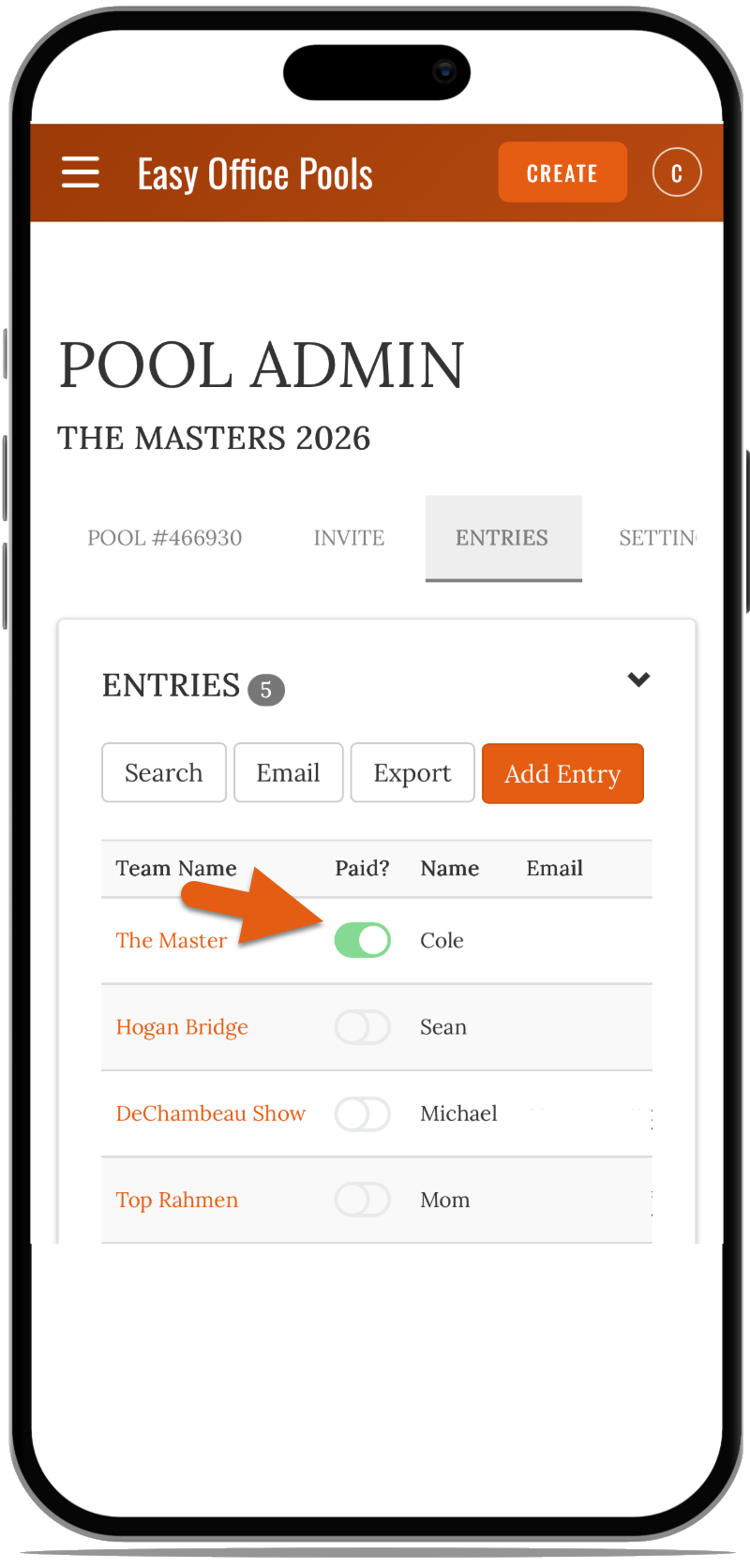
A Paid? button now appears next to each entry on your pool leaderboard. As admin, you can click it to mark that entry as paid. This is for your own organizational purposes only — it will not hide entries from your pool leaderboard.
Why Use It?
If you're collecting entry fees, this makes it easy to track who's paid without having to manage a separate spreadsheet. Everything stays in one place.
Tournament Leaderboard View
Feature Description
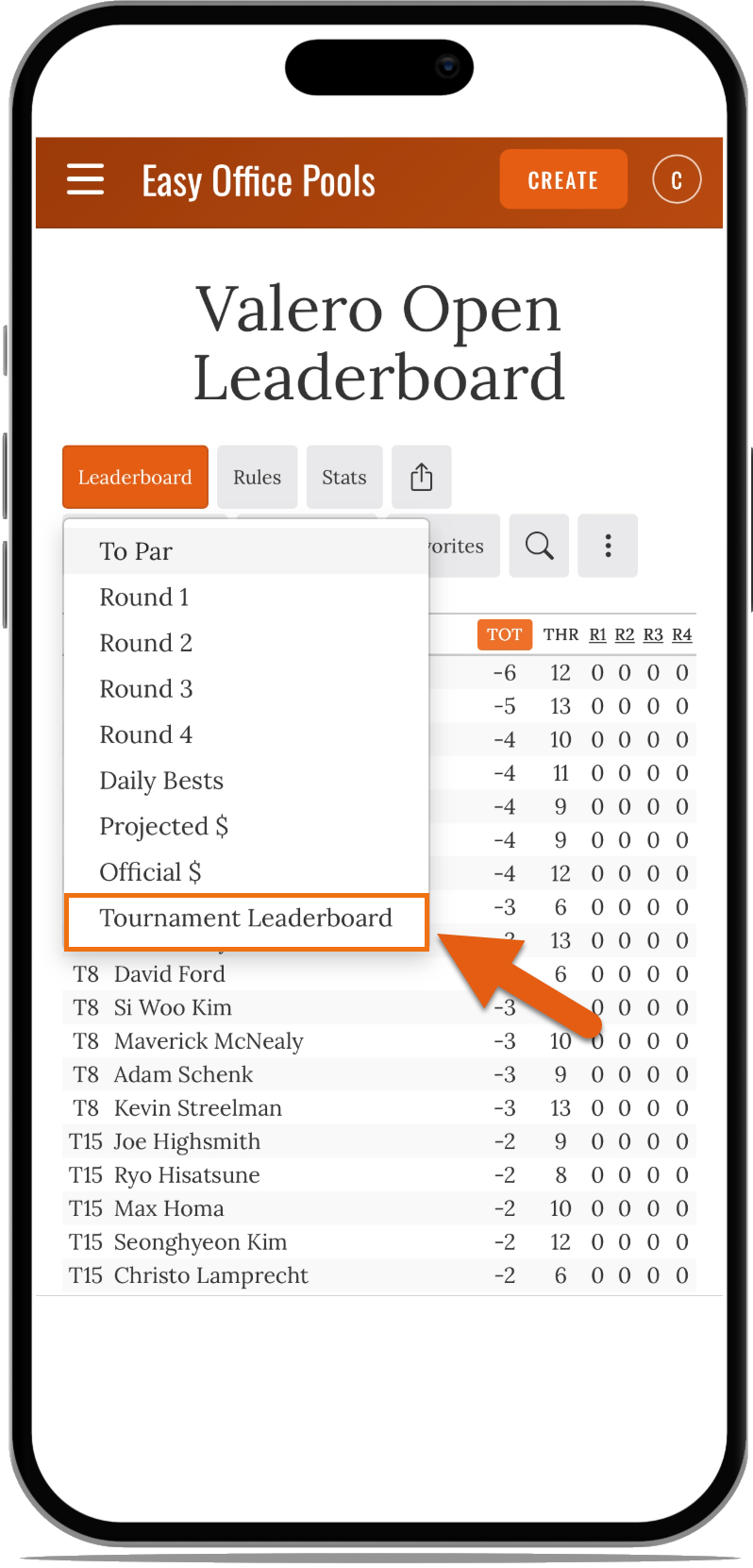
A full tournament leaderboard showing all golfers and their current positions is now available right from your pool leaderboard page. Just click the dropdown at the top of your leaderboard to switch to the tournament view.
Why Use It?
No more switching tabs to check where golfers stand. You can see the full field without ever leaving your pool — great for following along on the weekend.
Admin: Change Entry Emails
Feature Description
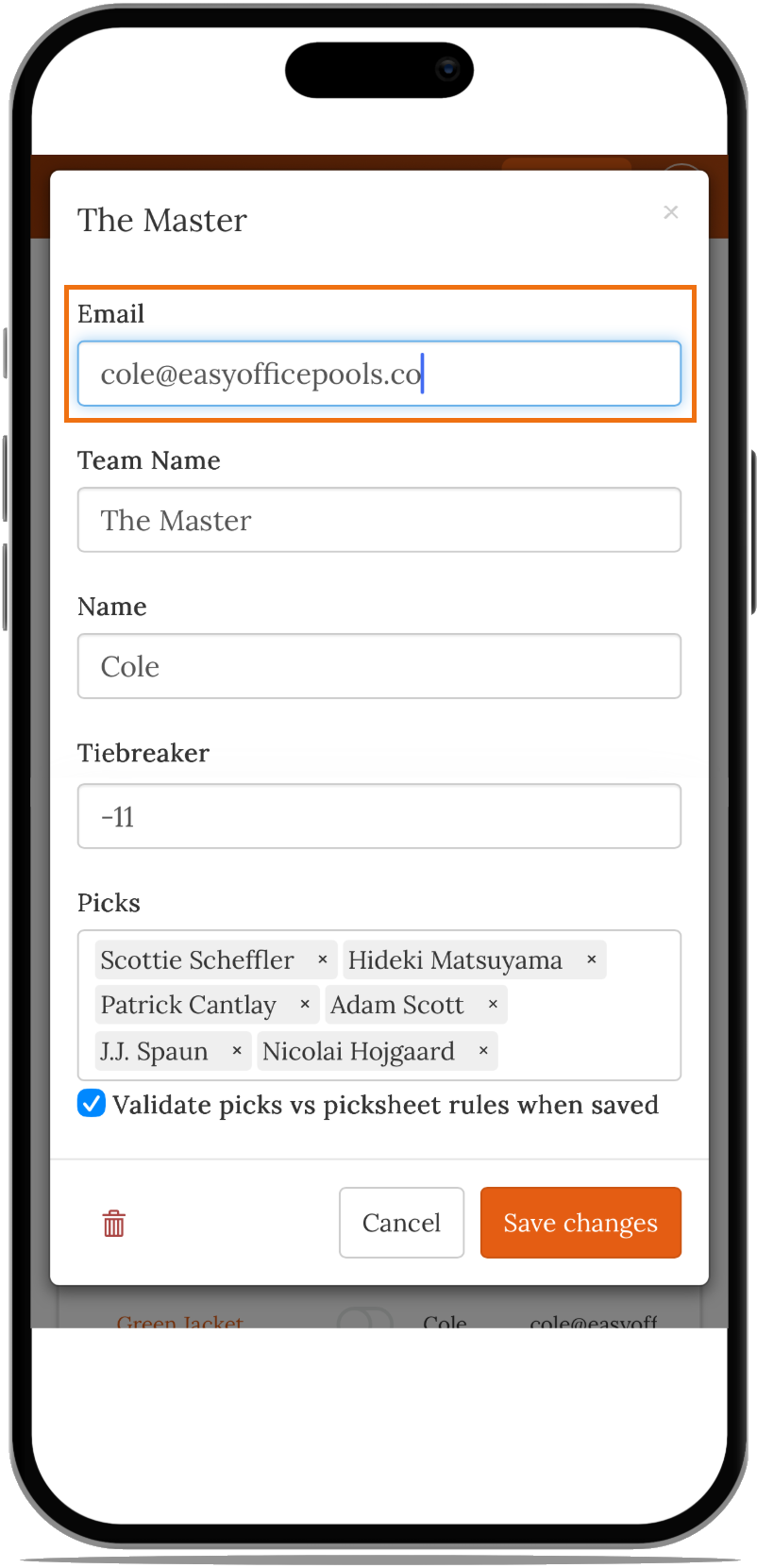
Pool admins can now correct an entry's email address directly from the pool admin page.
Why Use It?
It's common for poolies to mistype their email when they sign up, which means they never get their picks confirmation or pool updates. Now you can fix it for them quickly without any back-and-forth.
Modernized Mobile Navigation
Feature Description
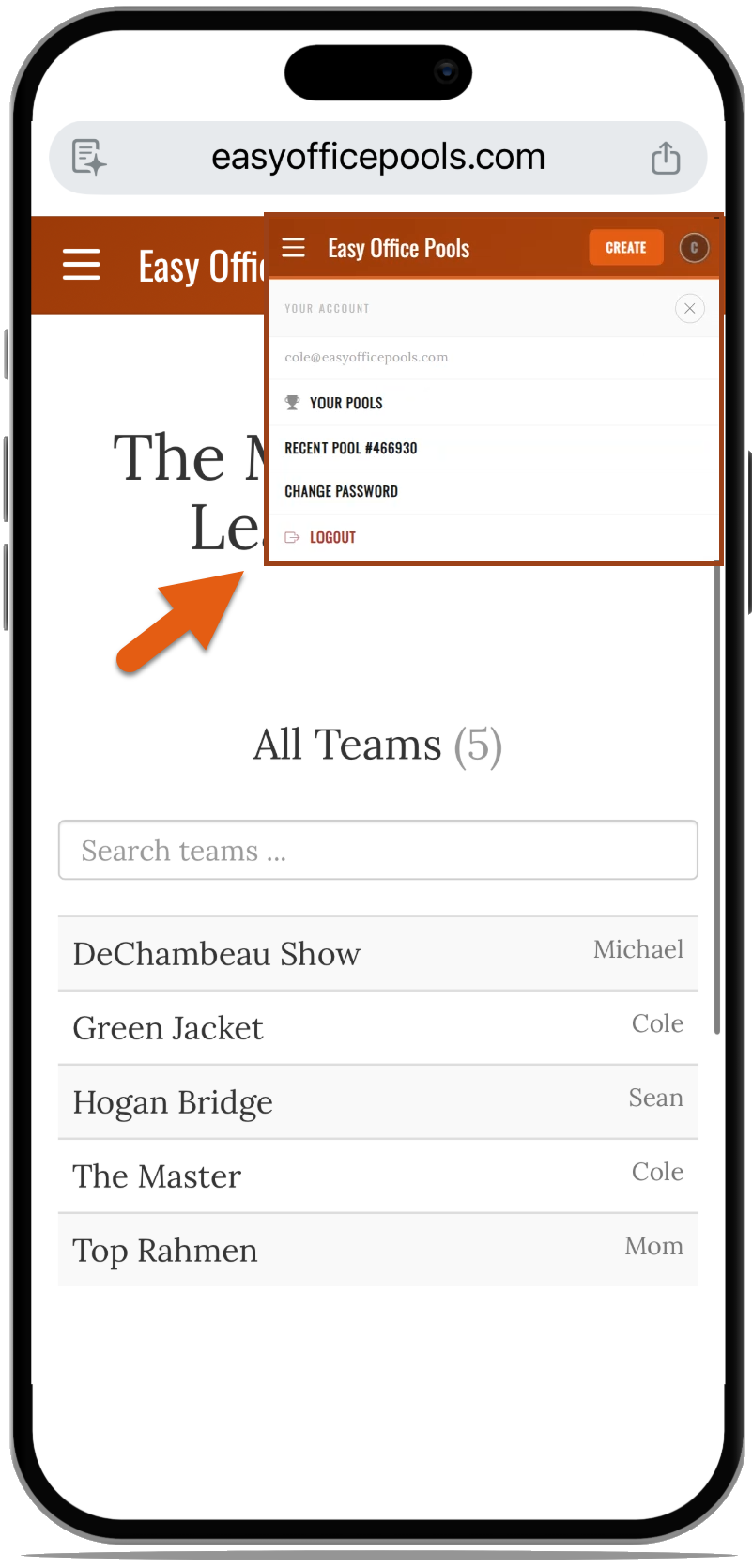
The mobile navigation has been updated to free up more screen space for leaderboard viewing. Access your pools anytime by tapping the profile icon in the top right corner.
Why Use It?
Most of your poolies are checking the leaderboard on their phones. A cleaner navigation means more room for what actually matters — seeing who's winning.
Tiebreaker: Above Par Sorted to Bottom
Feature Description
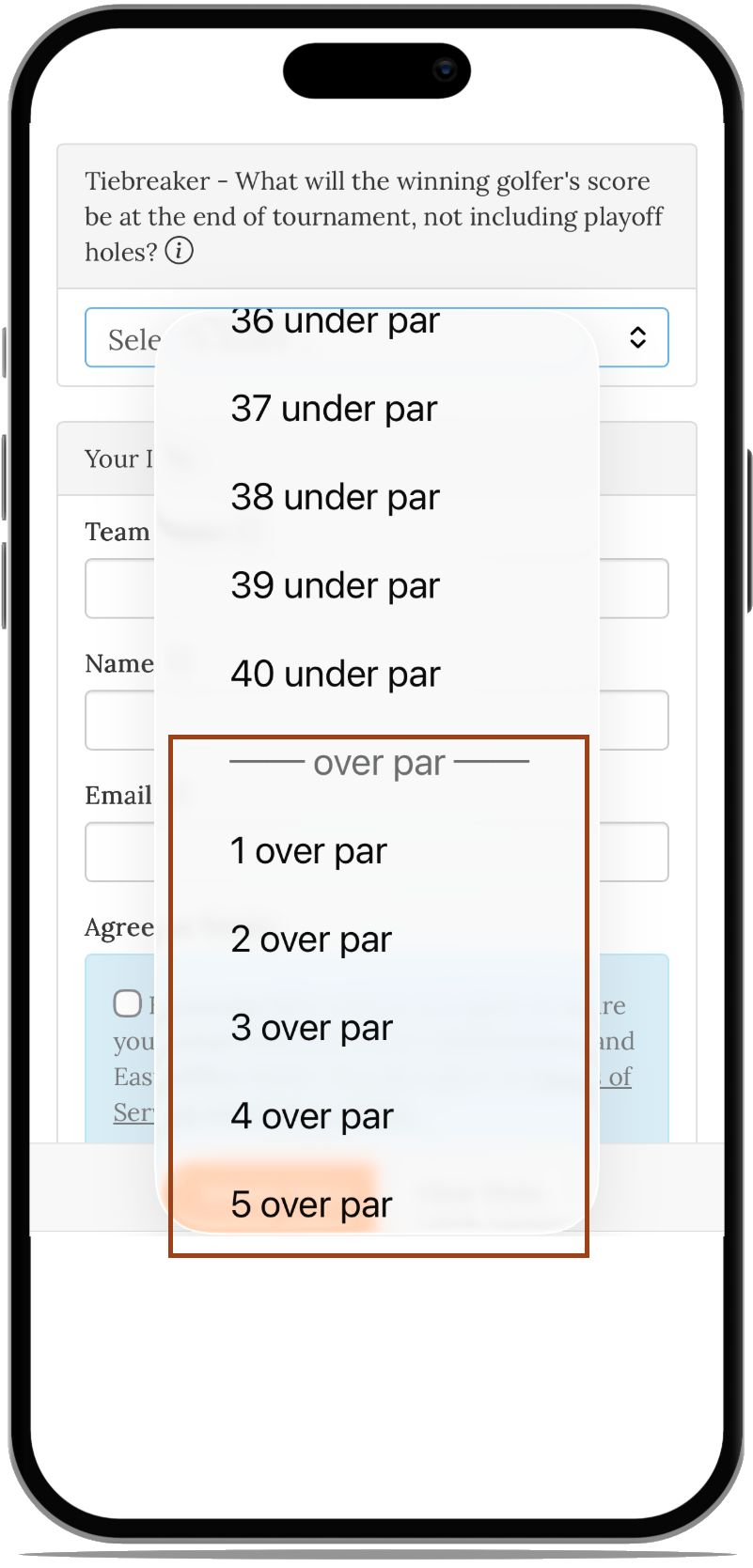
Above-par scores are now sorted to the bottom of the tiebreaker answer list on the picksheet. Poolies can still select an above-par answer if they want, but they won't stumble on it accidentally.
Why Use It?
At the Masters, no one wins at over par — so having +1, +2 etc. at the top of the list was a source of accidental wrong answers. This small change reduces those mistakes without limiting anyone's options.
Email Shown on Signup Confirmation
Feature Description
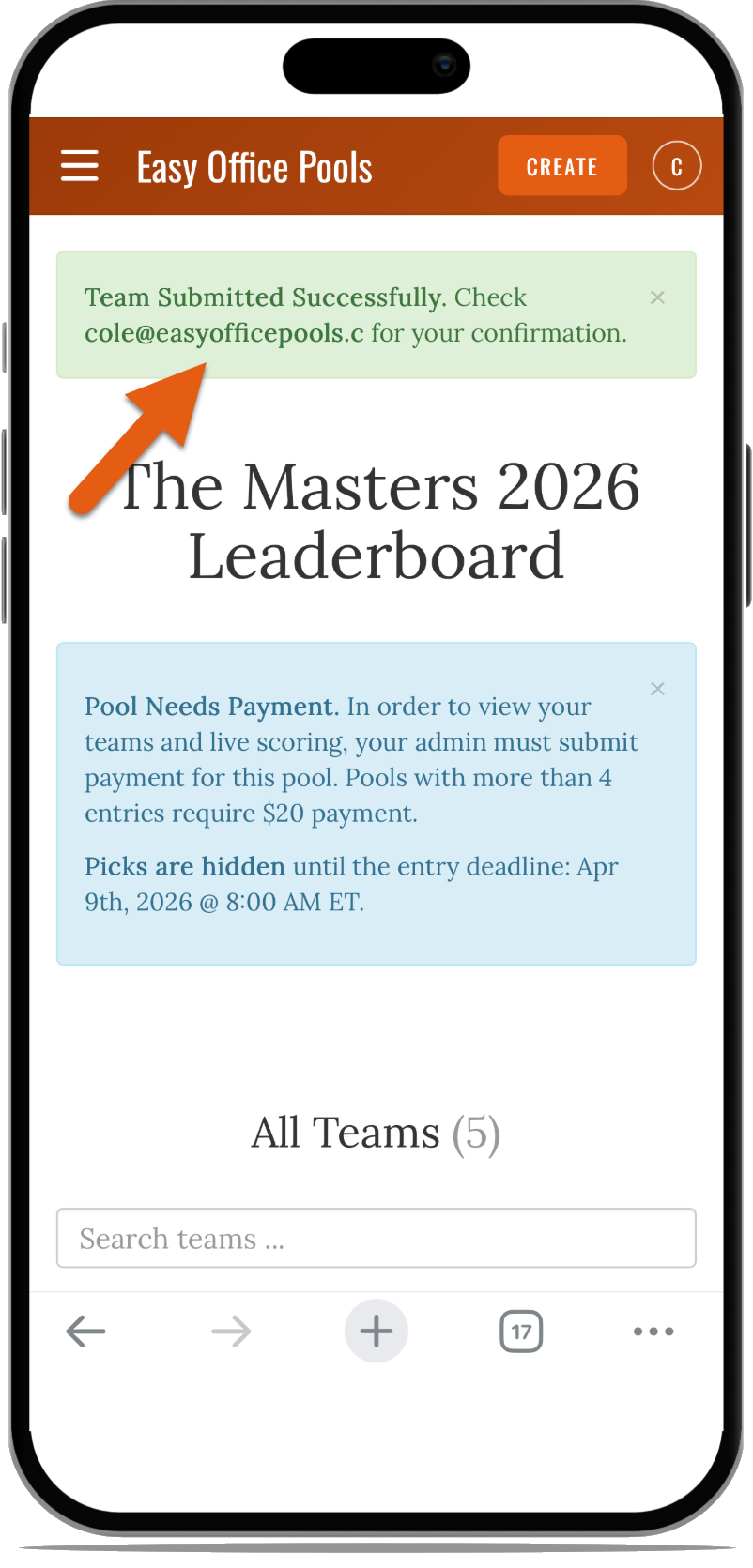
After a poolie submits their picks, the signup confirmation page now displays the email address they entered.
Why Use It?
It gives poolies a chance to catch a typo right away before they close the page. Fewer wrong emails means fewer "I never got the confirmation" messages for you to deal with.
Field Research Tool with AI Pick Help
Feature Description
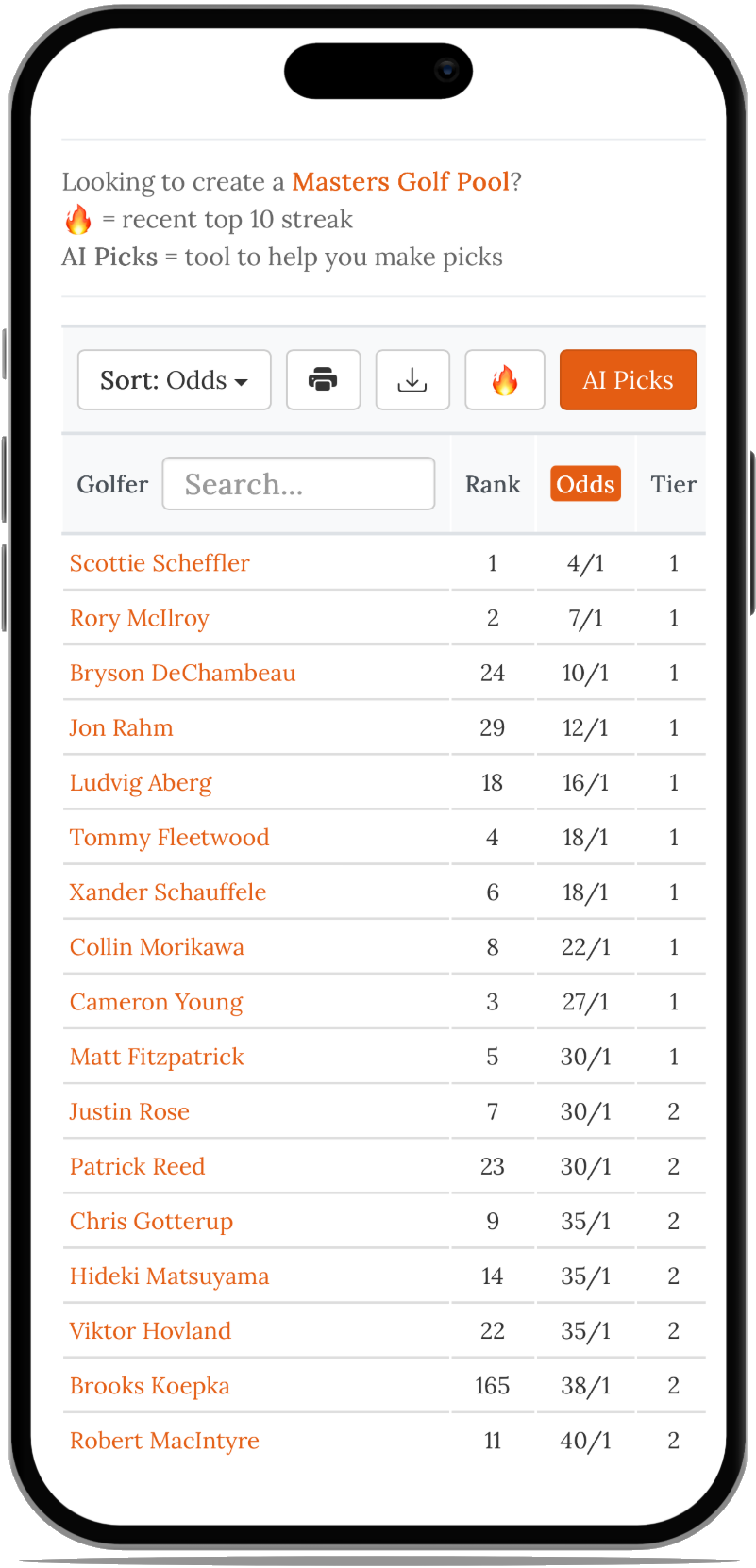
A new field research tool shows every golfer in the Masters field ranked by world ranking and odds to win. It also includes AI-powered pick suggestions to help you (or your poolies) make smarter selections.
Why Use It?
Not everyone follows golf closely enough to know who to pick. This tool levels the playing field — casual poolies get real data and AI guidance, while the golf nerds in your group can dig into the full field breakdown.
These features have been available for a while but tend to fly under the radar. Worth a reminder:
QR Code to Join Your Pool
Feature Description
Print a QR code that anyone can scan to be taken directly to your pool's signup page.
Why Use It?
Great for office settings — hang it on a bulletin board, put it in a group email, or share it at a gathering. The easier it is to join, the more entries you get.
Copy & Paste Entries by Email
Feature Description
Seed your new pool with entries from a previous year. Export the email list from your old pool's admin page and paste them into your new pool to get it started quickly.
Why Use It?
Perfect if your group runs the same pool every year. Instead of having everyone sign up from scratch, you can invite your returning poolies in one step.
Cut Options
Feature Description
Choose how you want to handle golfers who miss the cut. Options range from more lenient to more penalizing — you decide what's right for your pool.
Why Use It?
A lighter cut penalty can keep poolies in the game through the weekend even if their picks had a rough Thursday. A heavier penalty rewards those who chose wisely. Either way, it's your call.
Assign salary values to golfers and require poolies to stay under a cap when making their picks. Top-ranked players like Scottie Scheffler or Rory McIlroy cost more, which encourages more variety across entries.
Why Use It?
If you're worried about everyone picking the same two or three favorites, the salary cap naturally spreads the field out. It adds a strategy layer your poolies will enjoy.
Start Your Golf Pool Now!
If you're curious about any of these features, create your own golf pool today for free and try them for yourself.
More Feedback Requested
If you've sent us golf pool feedback in the past — thank you, and please keep it coming! Reach out via our contact page with anything you'd like to see in future pools.
Have Fun & Happy Pooling!
Good luck with your Masters pool this year! Reach out with any questions or ideas via our contact page.