College Basketball Takeover Pool
Screenshots
Live Bracket
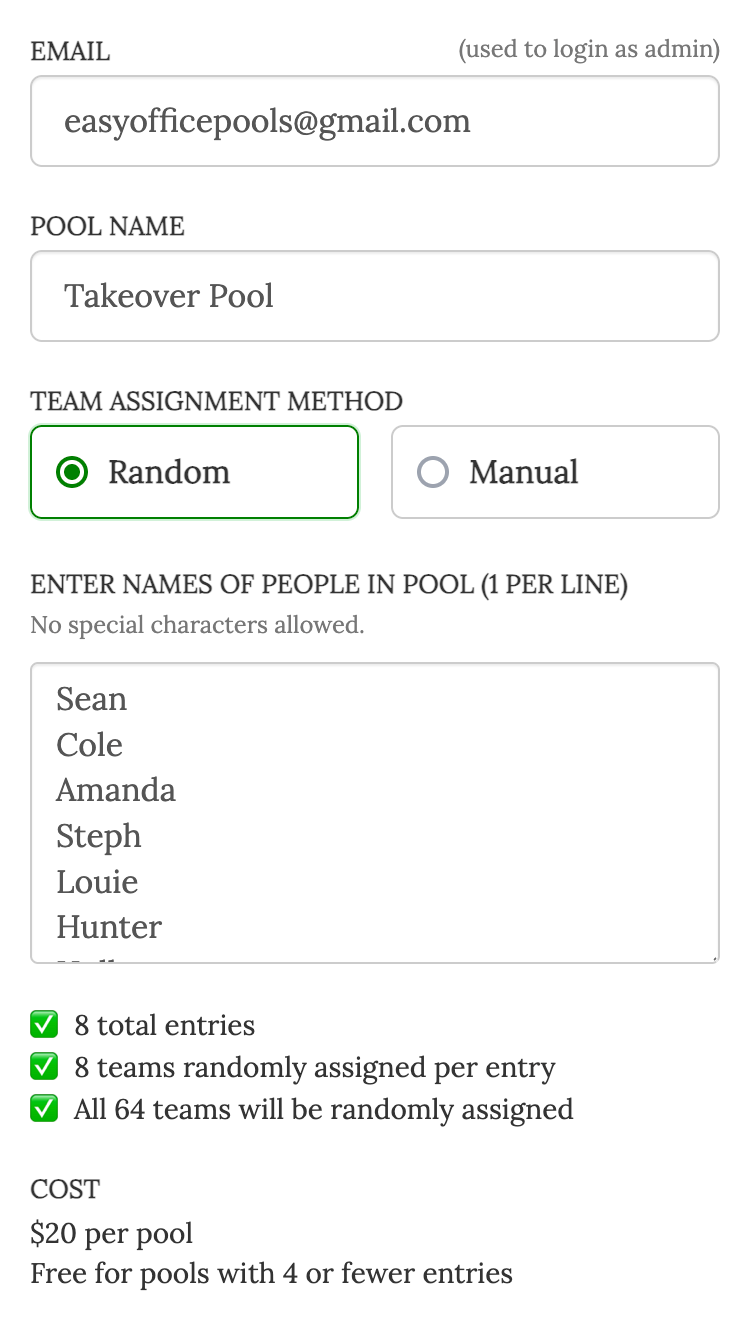
Create Pool
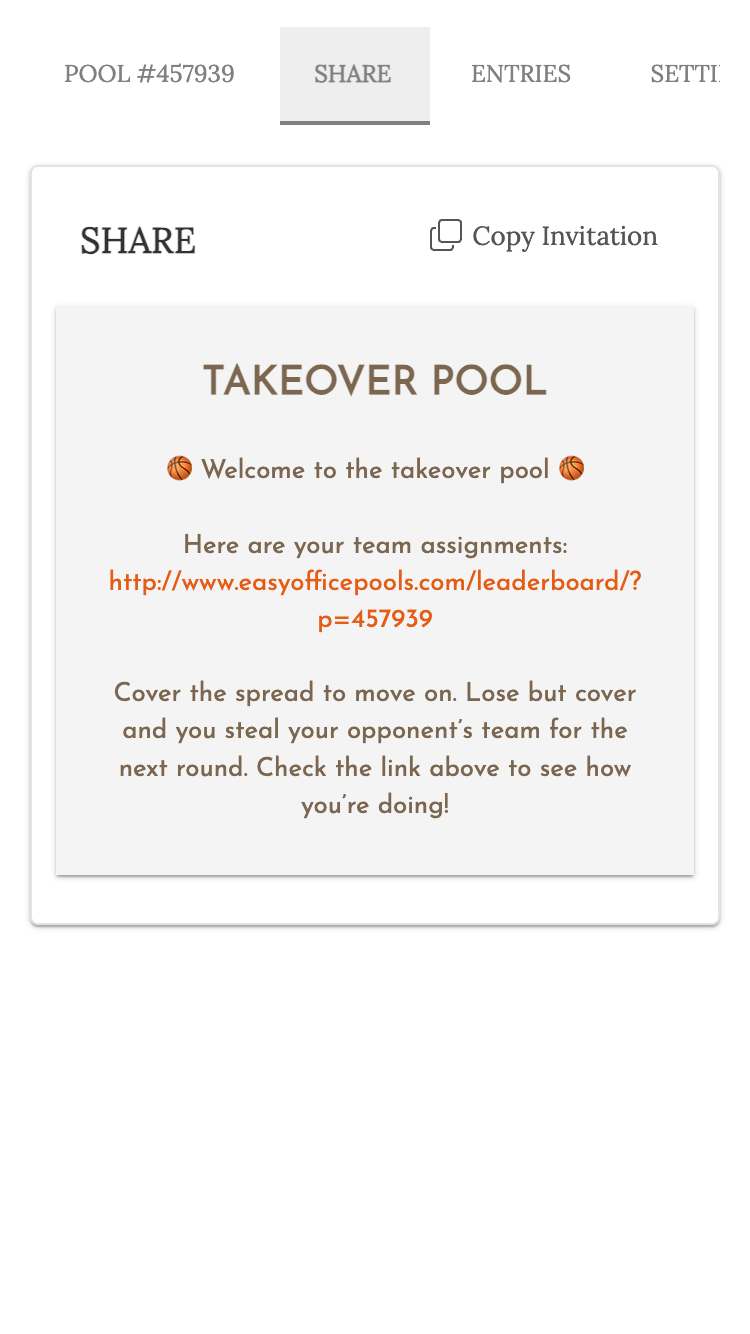
Easy Invites
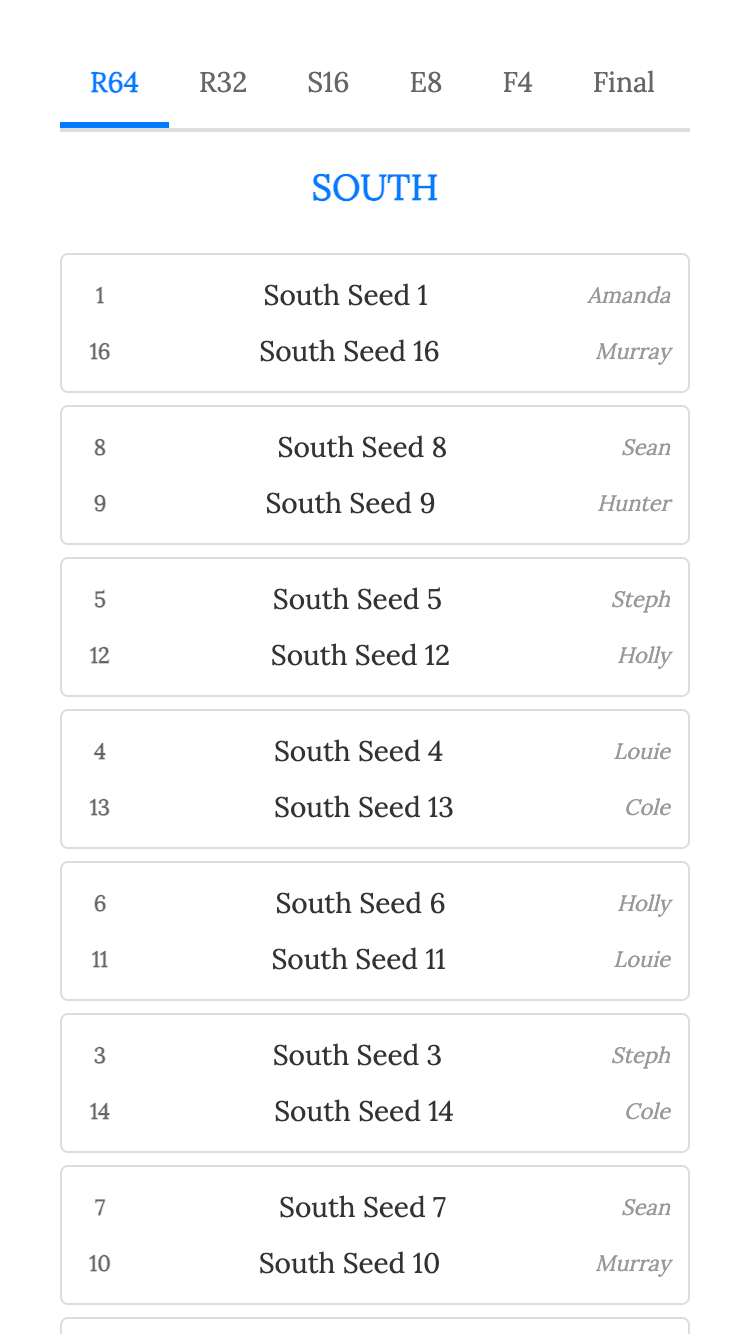
Random Teams
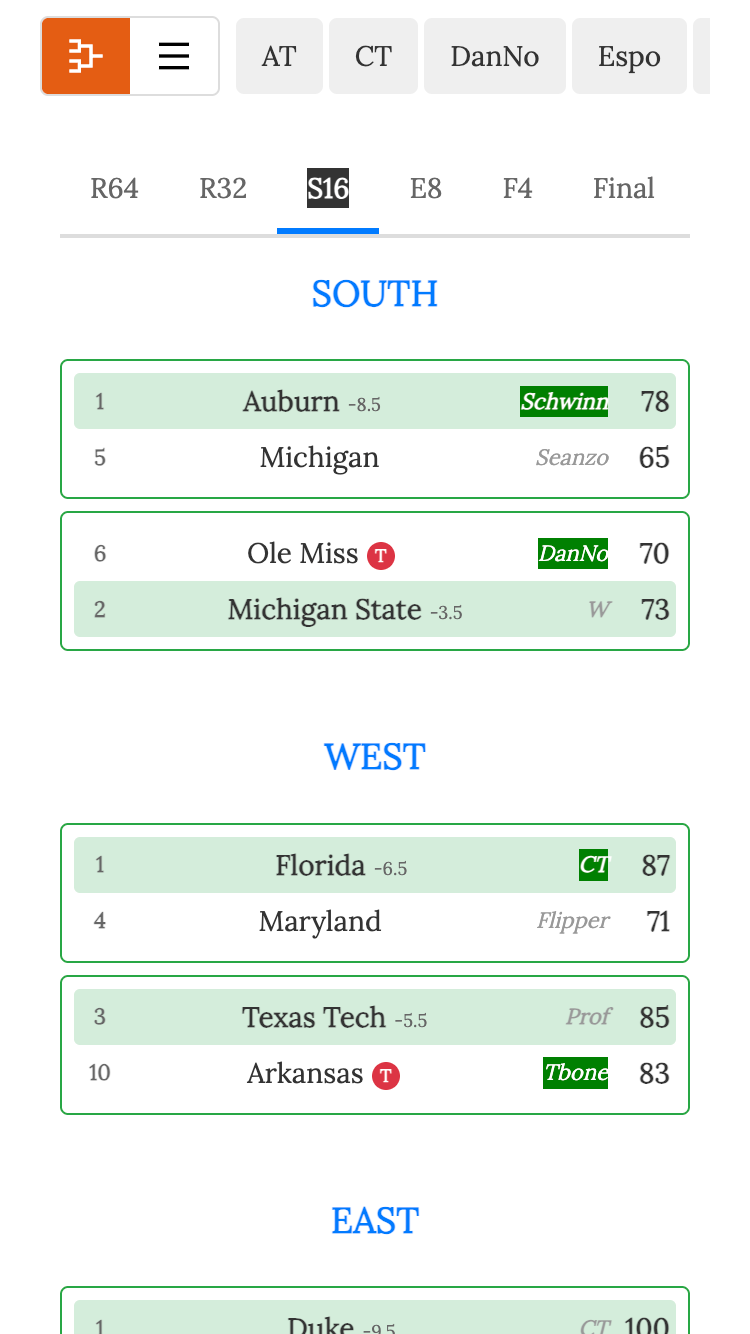
Winner!
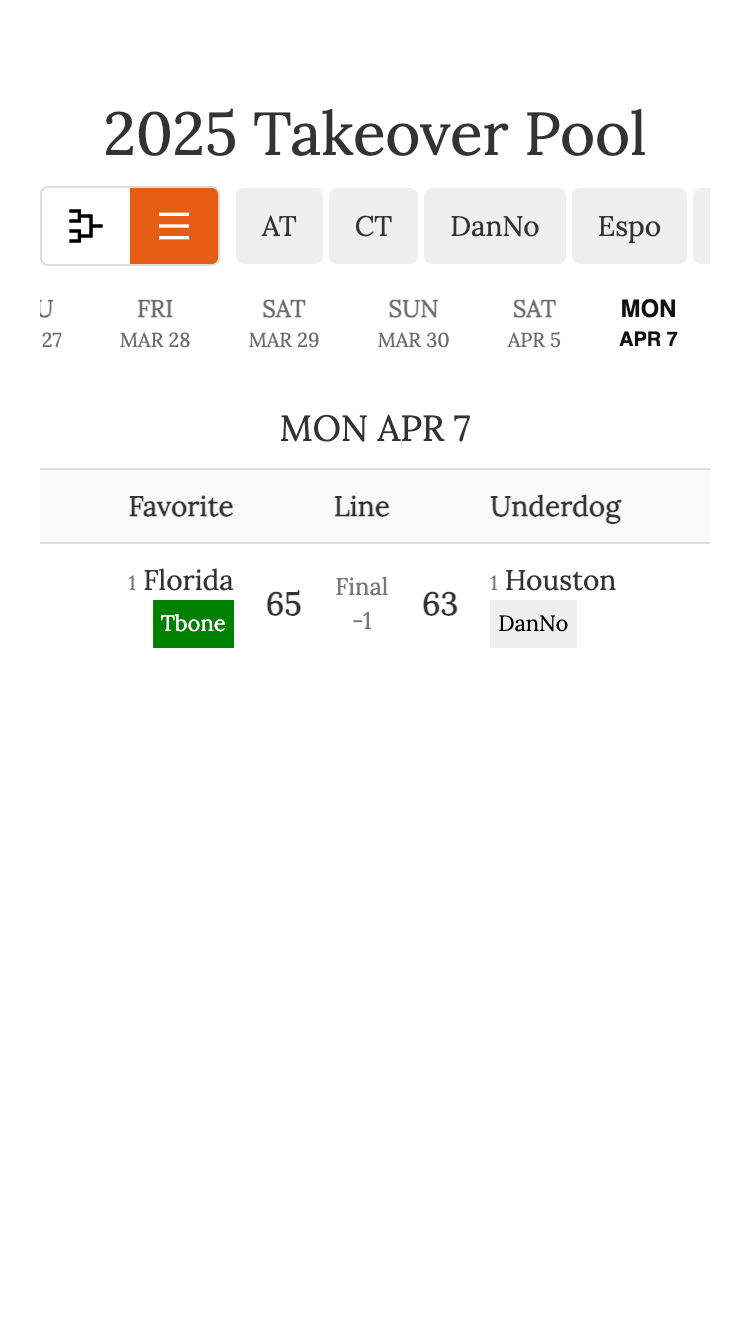
How To Video
How It Works
- The pool admin creates the pool, enters a list of names, and everyone is randomly assigned teams from the 64-team NCAA bracket.
- Works for 2-64 people.
- Based on the number of entries, each person will start with multiple teams. For example, if 8 people enter, each person would start with 8 teams. Our system will randomly distrubute teams throughout the bracket sections.
- Each game uses the point spread to determine advancement.
- If your team wins AND covers or matches the spread, your team advances to the next round.
- If your team loses but covers the spread, you take over the winning team for the next round.
- If your team wins but fails to cover, the losing team's owner takes over your winning team.
- The person who owns the team that covers the spread in the championship game wins the pool.
- Optional prizes can be awarded to owners after each round based on how many teams they have left, or just to the final winner. For example, anyone who makes the final four gets a prize.
- Follow along live on your live leaderboard to see the takeover action unfold.
- Watch as the bracket dynamically updates to show which entries control which teams after each game.
Pricing
If you get more than 4 people entered you'll have to pay the $20 fee for the pool. This is only paid by the pool admin. Pools with 4 or fewer entries are free.
Pool Example
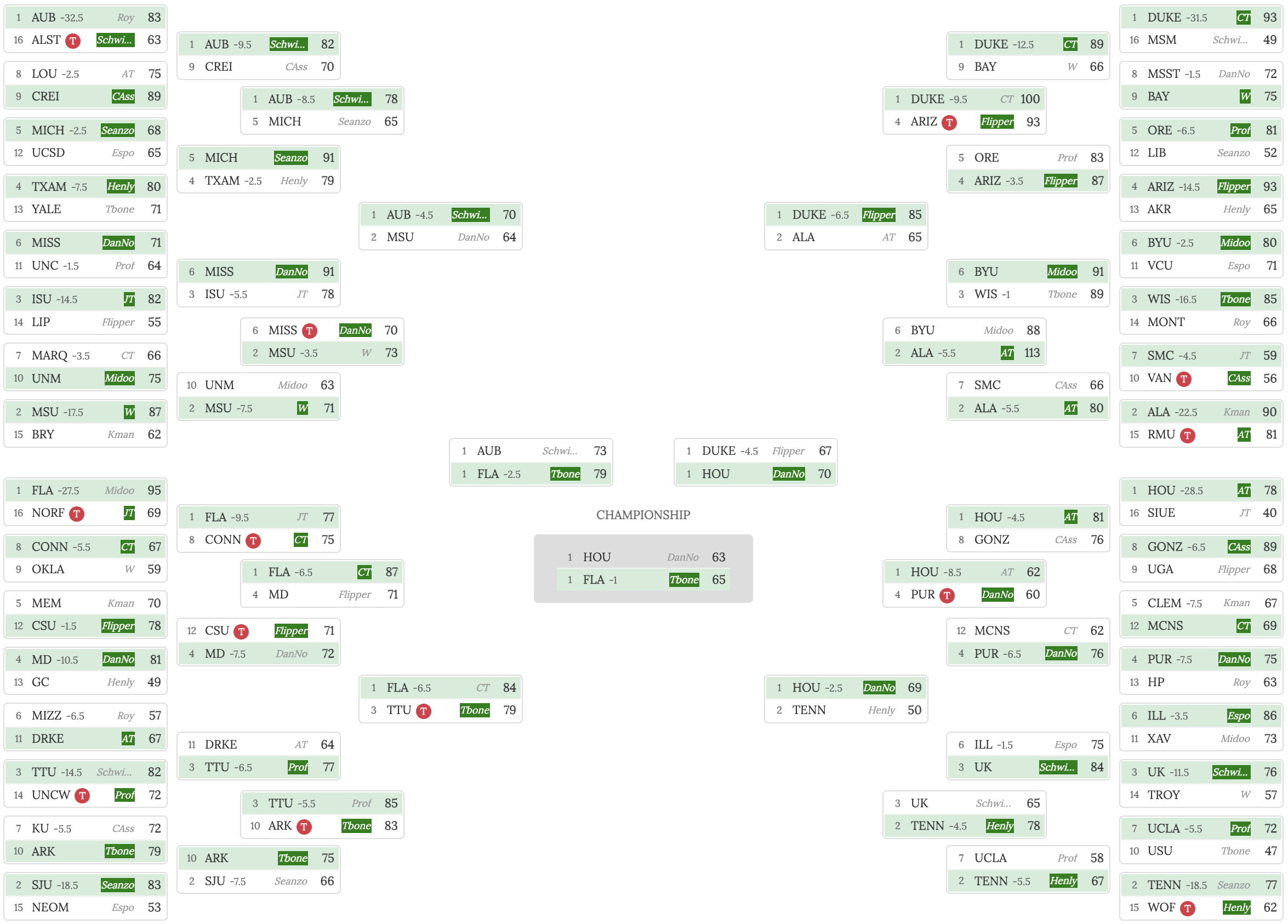
Check out this example from a previous pool to see how the takeover bracket works:
Rules
- The pool admin randomly assigns teams.
- If you have an odd number of entries (or any number that doesn't divide evenly into 64), some teams will be left unassigned, and the pool admin can manually assign later.
- Point spreads are taken from Draft Kings at 9am ET each day. Whatever the spread is at 9am ET the day of the game will be used.
- Easy Office Pools is the final authority on all spreads. If necessary, we will set the spread to ensure fairness (for example, if a spread is missing or looks incorrect).
- How to advance: If your team is favored, you advance by winning and covering the spread (or MATCHING the spread). If your team is the underdog, you advance by winning outright OR by losing but covering the spread—if you lose but cover, you take over the winning team in the next round. If there is no spread (pickem game), your team must win outright.
- Pool admins are responsible for deciding the criteria for winning the pool. Reach out to your pool admin to confirm the rules for your pool, as these may vary and are not stored in the system.
- Bracket updates will happen near real-time as games are in progres
Why Play Takeover?
The Takeover Head to Head Pool is a fun and competitive way to enjoy March Hoops with friends, family, or coworkers.
You don't have to worry about filling out a bracket.
It doesn't matter which team you have since the point spread levels the playing field.
It's exciting to see the bracket update in real-time as teams are taken over and advance throughout the tournament.
It's a great way to stay engaged with every game of the tournament, not just the ones involving your favorite teams.
Plus, it's a lot of fun to root for your teams to cover the spread, even if they end up losing the game.
Let us know if you have questions or ideas on how our app can be improved by contacting us. Enjoy the Madness!
Cheers ~
Sean
Golf Pools
PGA Golf Pool (any tournament)Masters Golf Pool
PGA Championship Golf Pool
U.S. Open Golf Pool
Open Championship Golf Pool
Players Championship Golf Pool
TOUR Championship Golf Pool
Olympic Golf Pool
PGA Money Earnings Pool
LPGA Golf Pool
Ryder Cup Pool
Presidents Cup Pool
Football Pools
College Football Bowl and Playoffs Pickem PoolCollege Football Playoff Confidence Pool
Football Squares App
Football Bingo
Weekly Fantasy Football Pool
Best Ball Fantasy Football Pool
Thanksgiving Football Squares
Christmas Football Squares
Playoff Fantasy Football
NFL Playoffs Confidence Pool
Super Bowl Squares
Super Bowl Bingo
NFL Draft Pool